Migrating Keycloak Users
This guide describes how to migrate users from one Keycloak instance to another. It applies when standing up a new COSMOS Enterprise deployment and you need to bring existing users over from a prior Keycloak.
The process has two parts:
- Export the realm (including users) from the old Keycloak.
- Partial-import the resulting JSON into the new Keycloak.
Export the Realm from the Old Keycloak
Exec into the old Keycloak container and run the export command:
/opt/keycloak/bin/kc.sh export --optimized --file /tmp/myrealm.json --realm openc3
This writes the full realm definition, including users, to /tmp/myrealm.json inside the container.
Copy the file out of the container. For Kubernetes:
kubectl cp <keycloak-pod>:/tmp/myrealm.json ./myrealm.json
For plain Docker:
docker cp <keycloak-container>:/tmp/myrealm.json ./myrealm.json
Partial Import into the New Keycloak
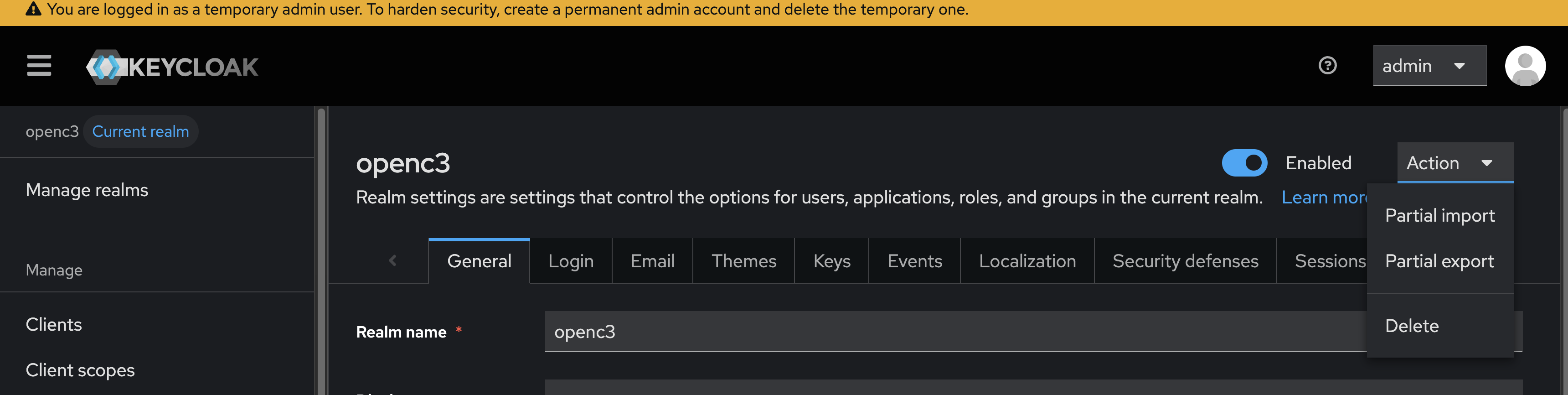
Open the Keycloak Admin Console on the new Keycloak and select the openc3 realm. Open Realm Settings and use the Partial import action.
Upload the myrealm.json file exported above.
Select Users in the list of resources to import. Set If a resource exists to Skip so any users already present in the new Keycloak are left untouched.
You might also want to import realm_roles or other categories if you need to port those over as well.
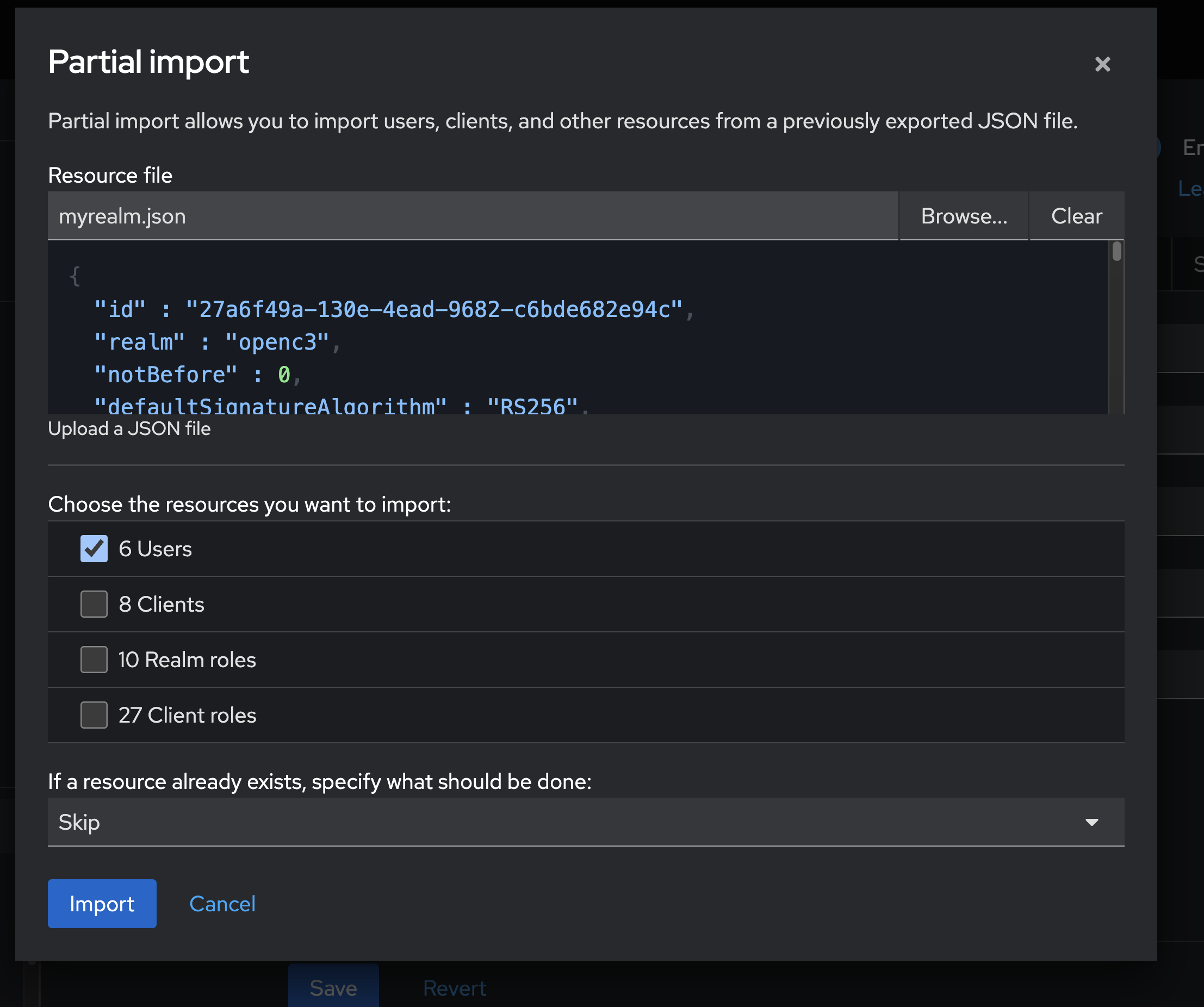
Run the import. Verify the migrated users appear under Users in the new realm and that role mappings carried over as expected.
Notes
- The export uses
--optimized, which assumes the Keycloak server has already been built/optimized. Drop the flag if the source Keycloak was not started withkc.sh build. - Passwords are exported as hashes and re-imported as-is; users keep their existing credentials.
- The same approach works for migrating between Keycloak versions, provided the target version supports the source realm schema.
- For full realm replacement (not just users), use Import realm rather than partial import.